1
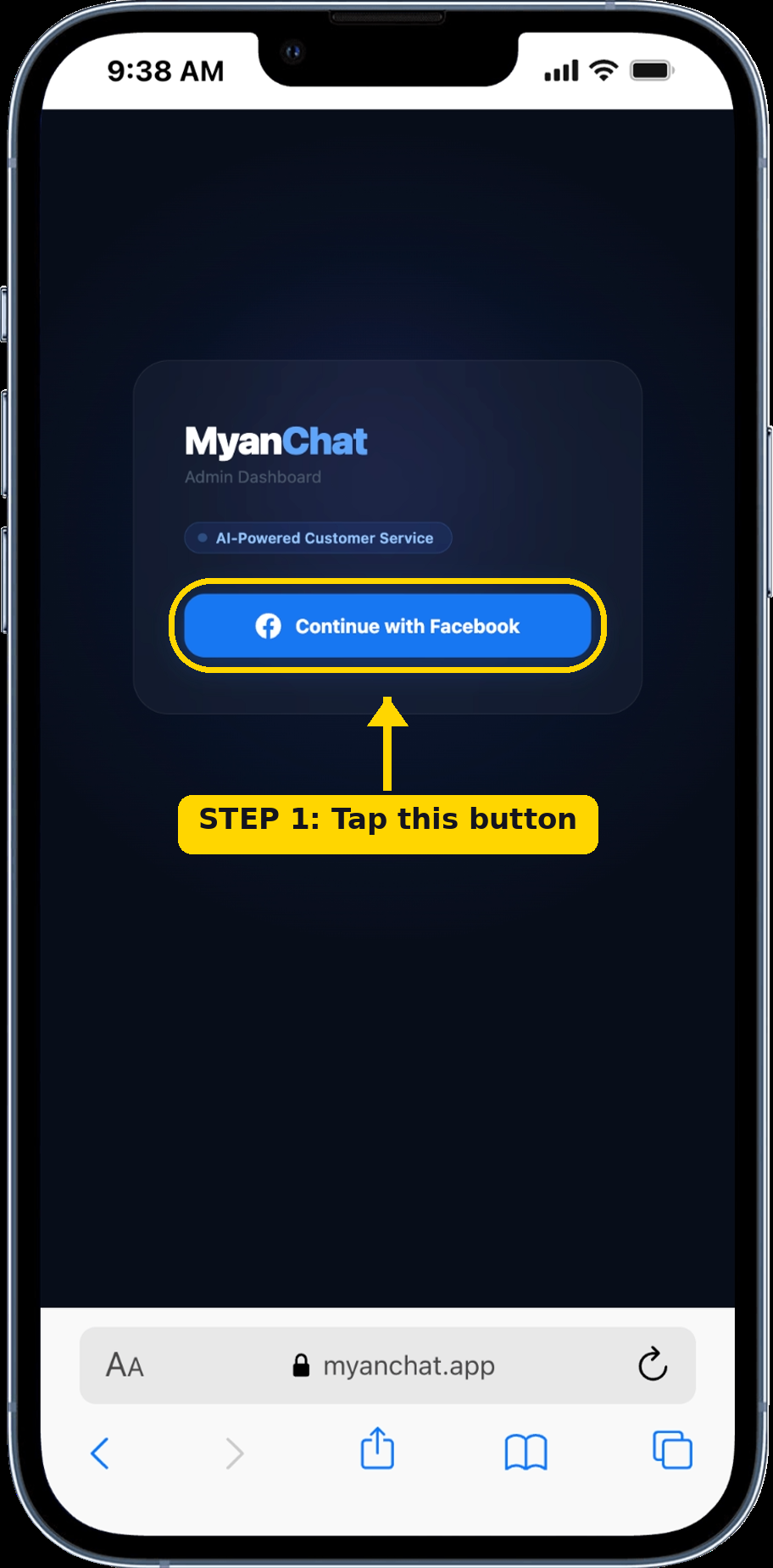
Tap "Continue with Facebook"
On the login page, tap the blue Facebook button to begin.
2
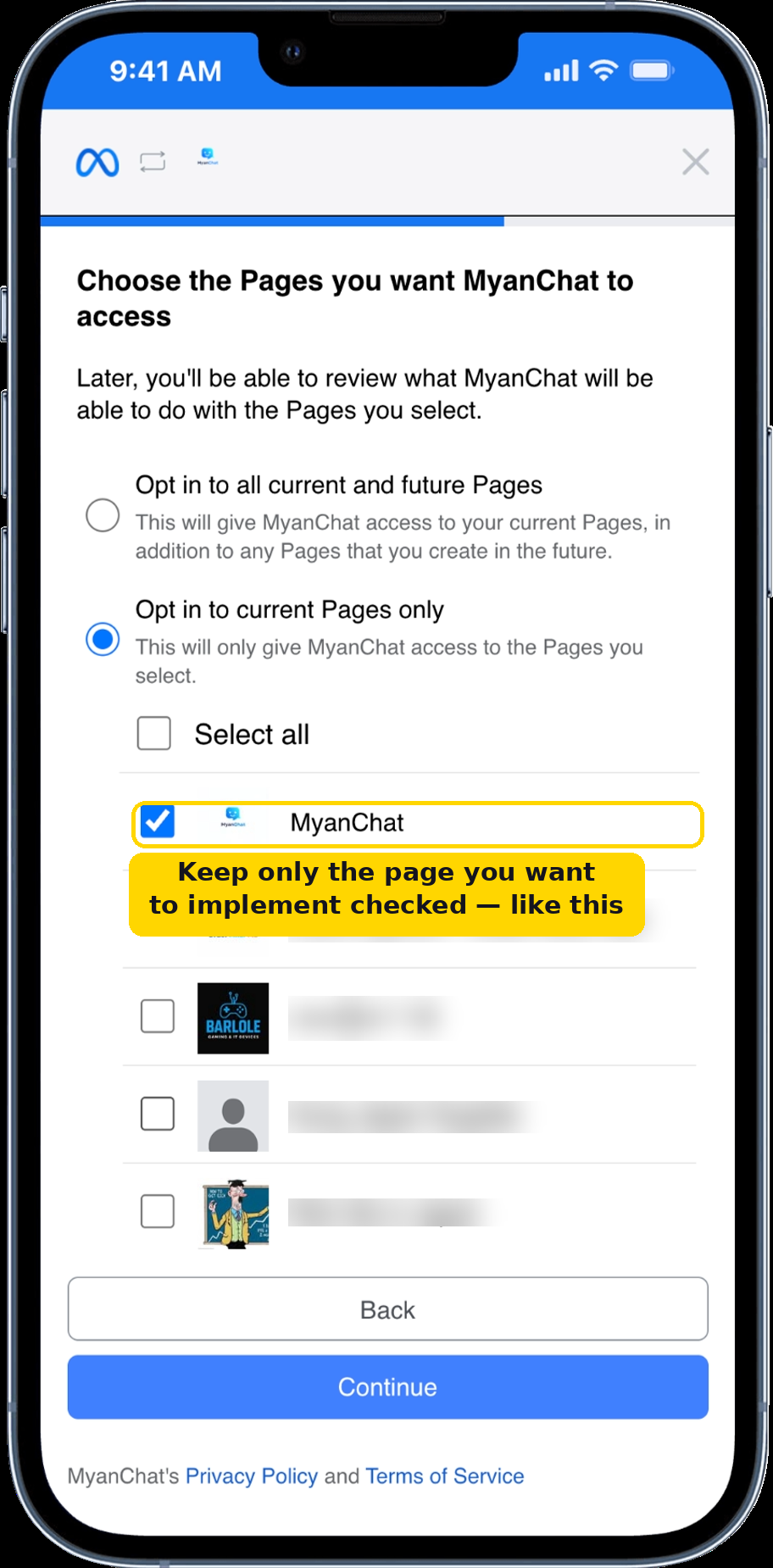
Select only your business page
Check only the page you want to connect. Uncheck all others, then tap Continue.
3
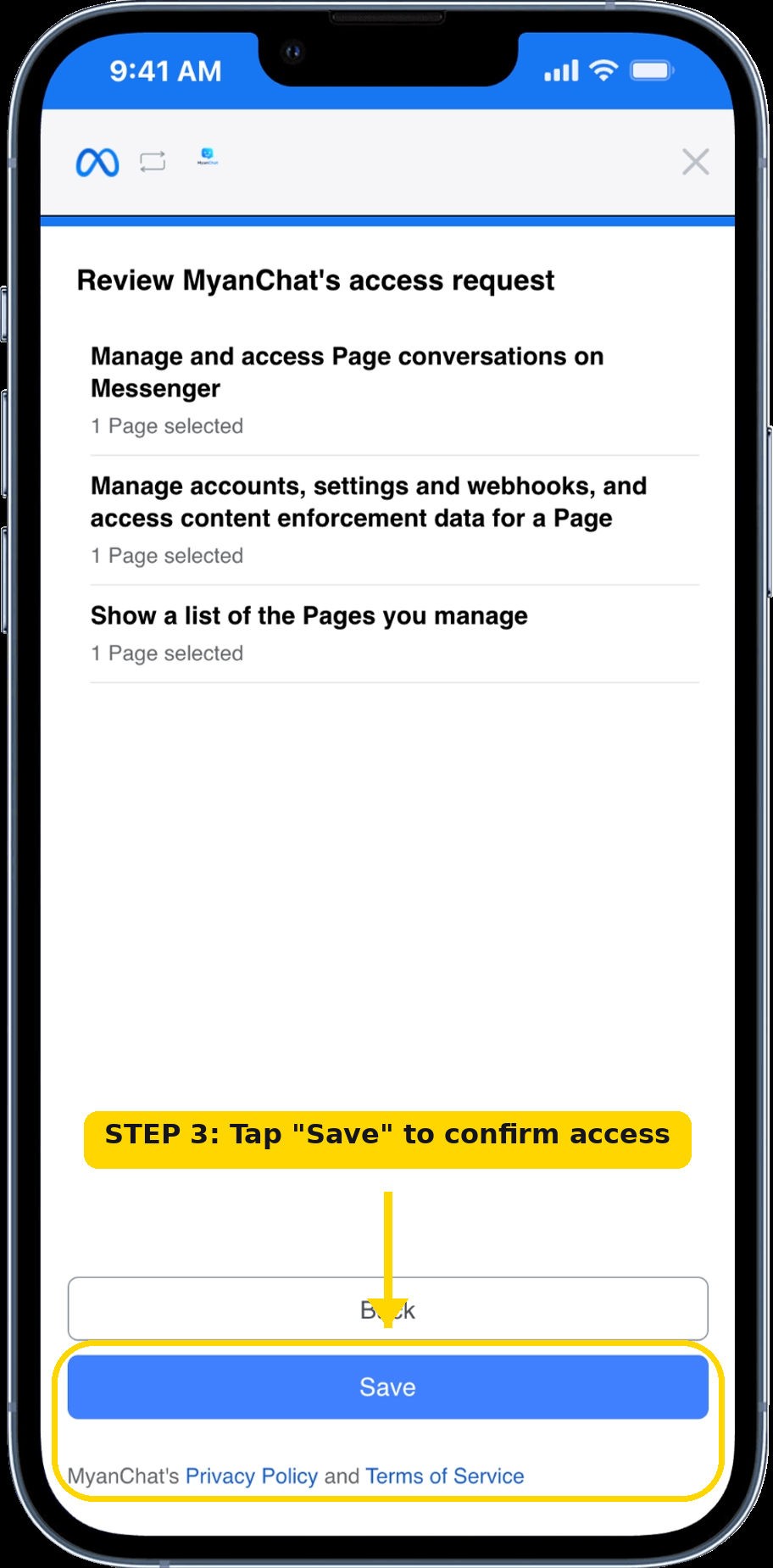
Tap "Save" to confirm
Review the permissions and tap Save. This lets MyanChat read and reply to your Messenger messages.
4
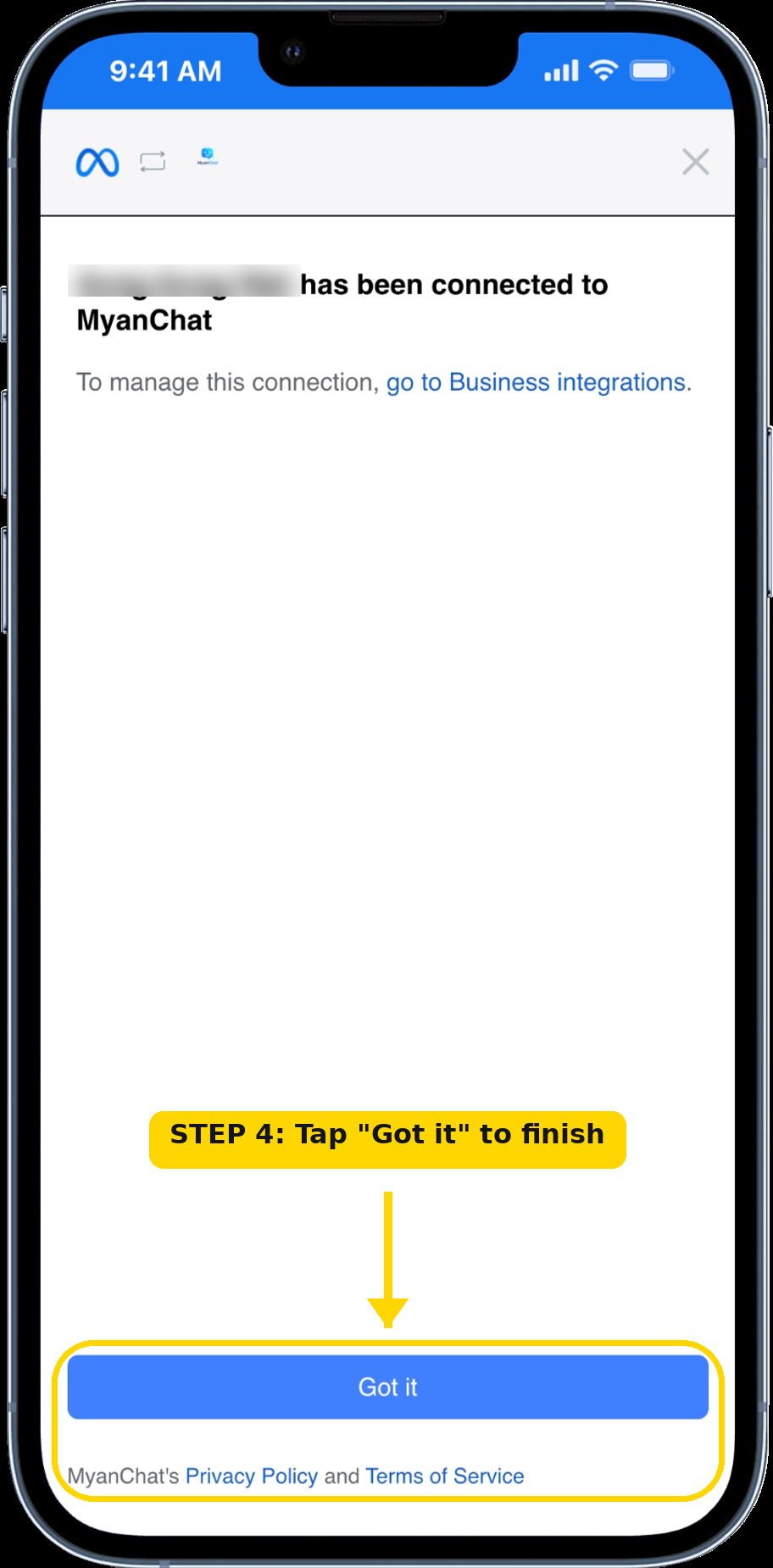
Tap "Got it" to finish
Your page is connected. Tap Got it and you will be taken to your dashboard.
You're all set!
Your Facebook Page is now connected and the AI bot is ready to reply to your customers.